Computers, laptops, mobiles, tablets and a train of other
devices…. Where do they all take us?
Well, they all are meant to make us efficient at what we do
and do it repeatedly. We create a lot of files daily. We make proposals for
clients, project plans for team work, presentations for product marketing and
so much more. We tend to forget where we stored files that we made last month,
or even last week. It just happens and we cannot really complain much about
that.
Do we need a file
manage? A file manger that does not only allow us to store our data but
also allows to organize it properly. Pretty cool. Right?
File management
is everything about basic methods for naming, storing and handling files. It
goes beyond file and folder naming strategies coupled with fine metadata
practice and catalog software. Let’s talk about file management systems and
some tricks to stay on top of it
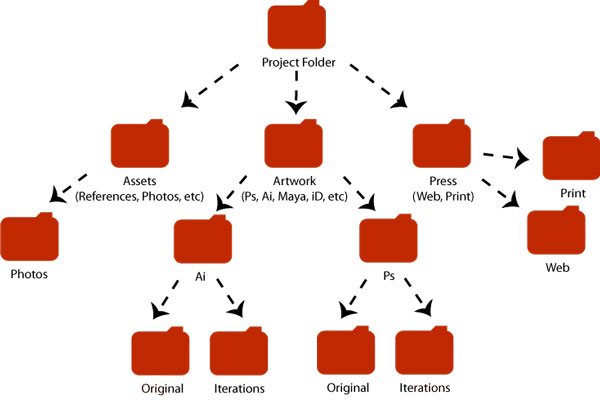
Traditionally, we work with computers that tend to store
files in a hierarchical system based on directories and subdirectories. Simply
put, we use our systems to keep our data organized, name our files and folders
properly, arrange these folders accordingly, and handle these files within
folders efficiently. Operating systems are meant to help us in every aspect of
this task.
Are our current operating systems helpful in doing this job?
No, they are not.
If folders are not helping us to keep our data organized,
then what can? Catalog software and apps can.
File Manager app
like Archive Box helps you handle your data more efficiently than any operating
system does. Unlike directory system, such apps basically tend to consolidate
on single page interface where all your data goes in line. Data sorting can be
done according to different filters such as by date, size metadata, names,
types and so on. Meanwhile, inside content search feature also helps to find
things with keywords.
Speaking of files and folders management, here are some
simple strategies for you.

Data Backup Strategies:
If folders are your tool to store your data (and not
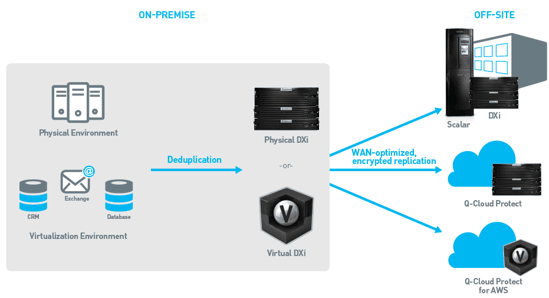
organizational), you better try to take back up as frequently as possible.
Working files Folder:
You might know it with different name, but it is your files
that you are currently working with. Try to make a folder where you can store
your all files that you are currently working on.
Though with Filemanager apps you can add metadata to your files identity. Nevertheless, try
to name files as info-matically as much possible.




.jpg)


.jpg)


